File
A file from the media library, such as a brochure or a price list.
In the editor
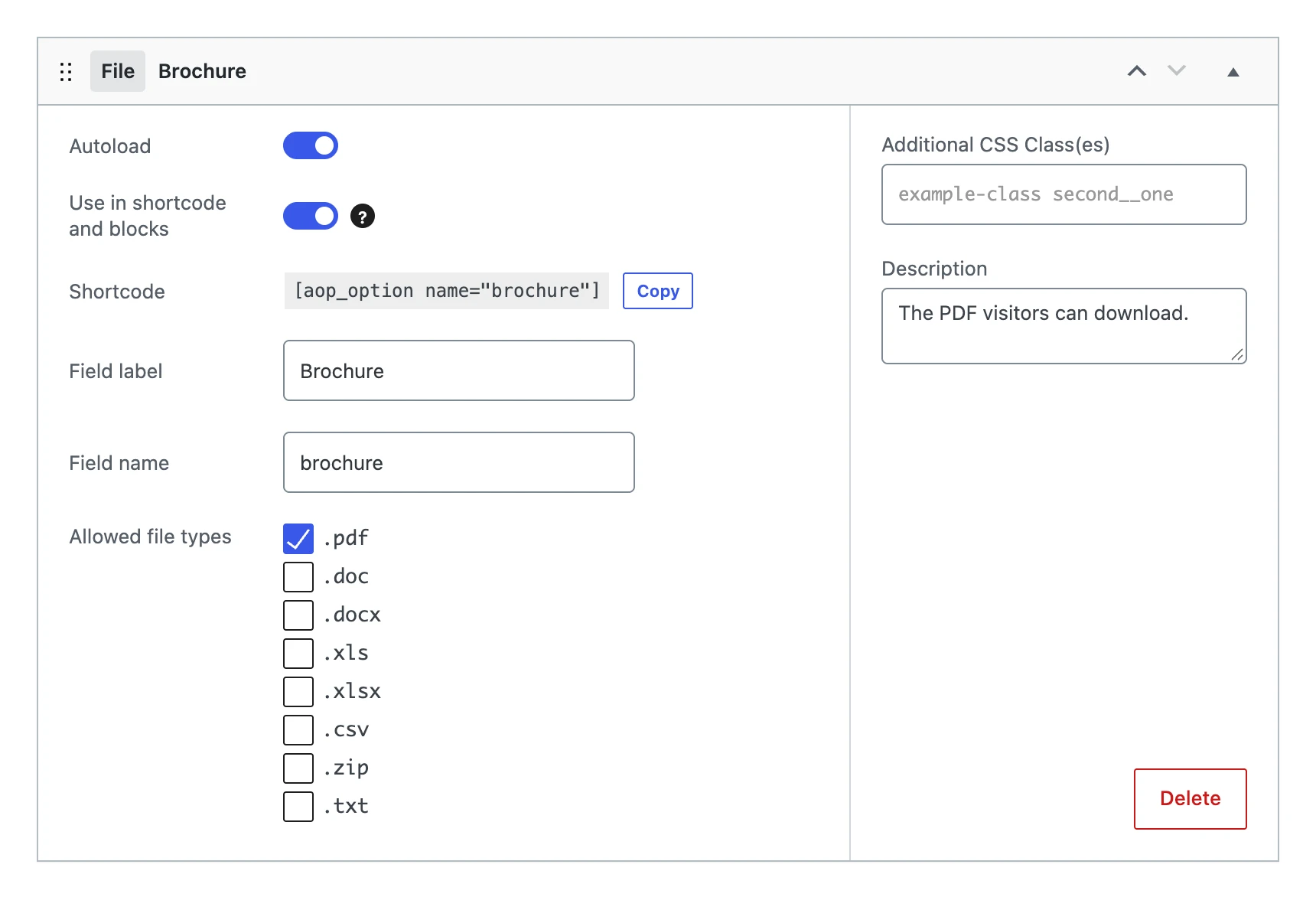
Besides the settings every field shares, a file field has:
| Setting | What it does |
|---|---|
| Allowed file types | .pdf, .doc, .docx, .xls, .xlsx, .csv, .zip and .txt. Only files of the checked types can be chosen and uploaded. |
On the options page

Upload opens the media library. The name of the chosen file is shown next to it. Delete empties the field; the file stays in the media library.
The value
Stores the attachment ID of the file. An ID that is not an attachment becomes empty.
On your website
The shortcode shows a link to the file, with the title of the file as its text. Use text for a text of your own, or link="0" for only the URL.
[aop_option name="brochure" text="Download our brochure"]
printf( '<a href="%s">Download our brochure</a>', esc_url( wp_get_attachment_url( get_option( 'brochure' ) ) ) );